
Stop Fighting Spreadsheets. Start Growing.
Transform your small business with a complete management system designed for real-world operations. Everything you need in one place - from client relationships to job scheduling, asset tracking to automated workflows.
🎉 Just Launched! Be among the first Australian small businesses to ditch Excel chaos for professional, streamlined operations. Lock in our launch pricing and help shape the features you need. Import your data and go live in minutes.
Built for Small Business Success
Stop wasting time fighting spreadsheets. Get a professional business management system that grows with you. Just launched and actively expanding - we're listening to our early adopters and building the features Australian small businesses actually need. From tradies to consultants, service providers to retailers.
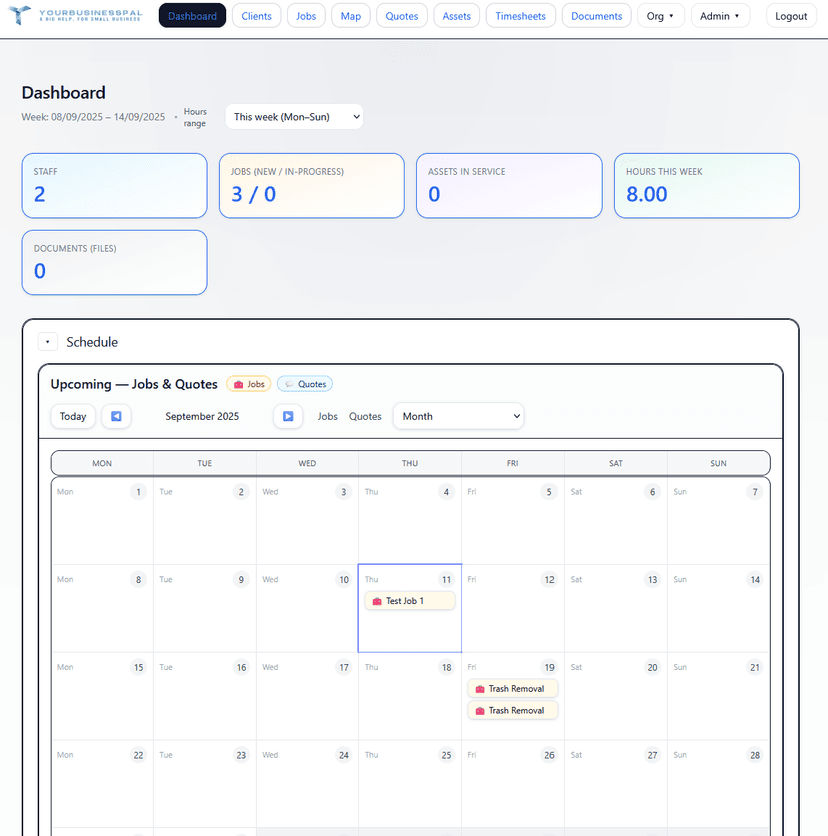
🗓️ Integrated Calendar
SchedulingNever miss another deadline. See upcoming jobs, client follow-ups, and service reminders right on your dashboard. One click takes you straight to the details.
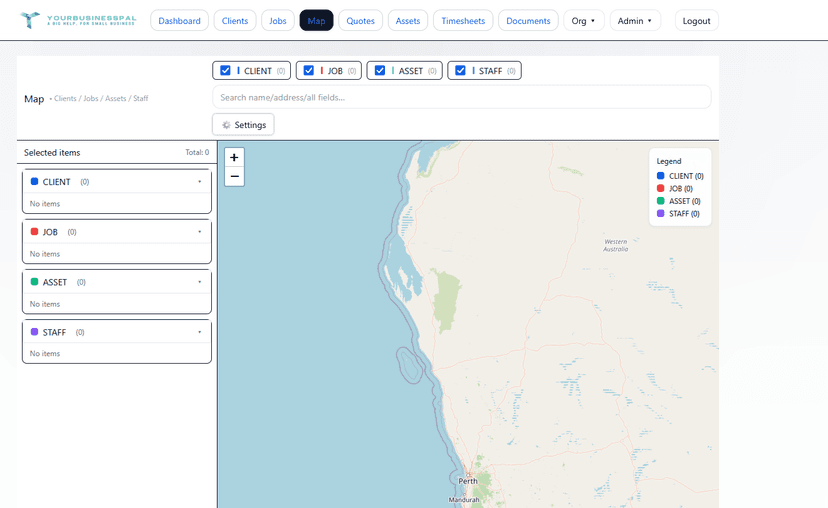
🗺️ Interactive Mapping
EfficiencyPlan efficient routes by visualizing your clients, jobs, and assets on a live map. Group nearby visits, save fuel, and maximize your day.
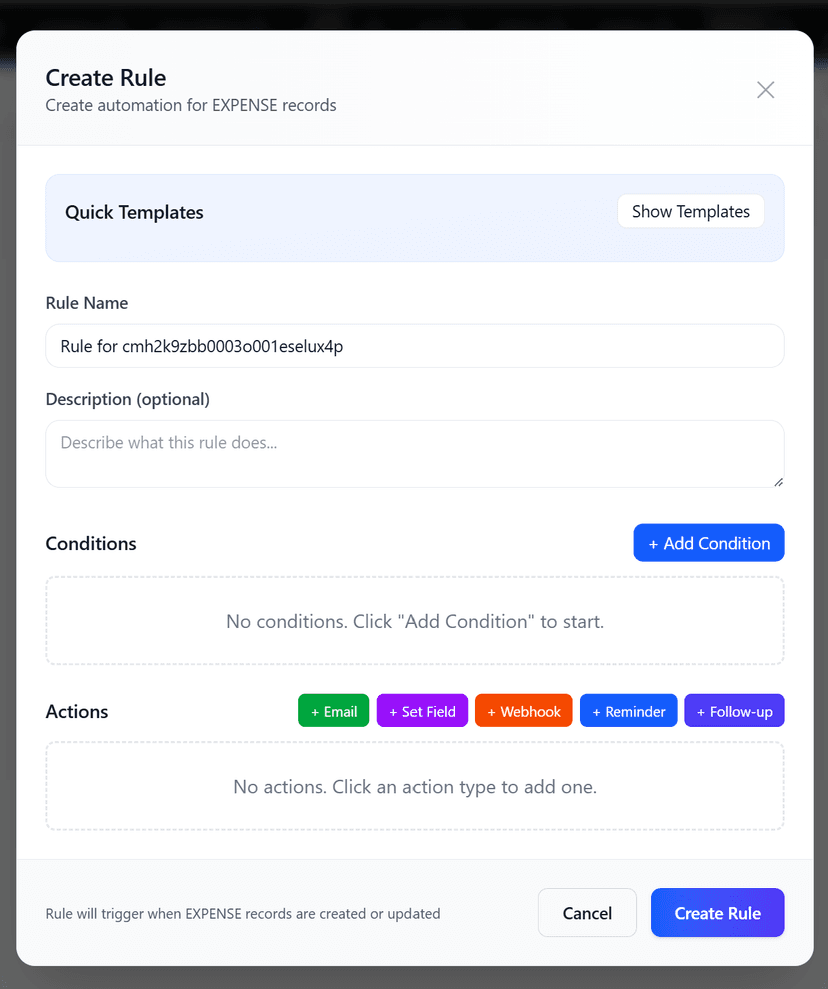
🤖 Automation Rules
AutomationSet up smart triggers that send emails, create follow-ups, or update records automatically. Your business runs itself while you focus on growth.
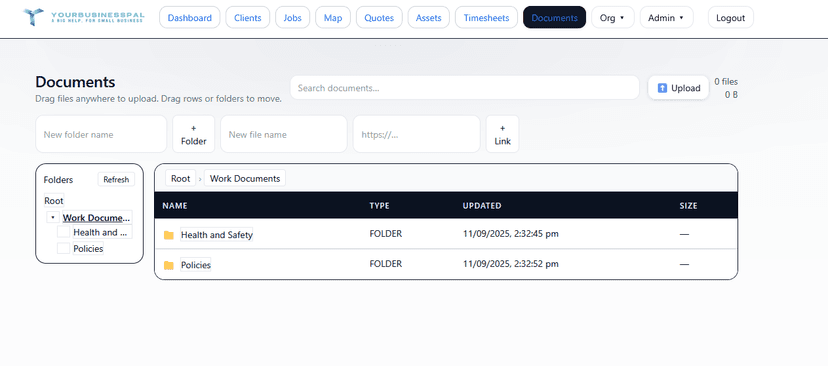
📁 Secure Document Hub
SecurityProfessional document management with drag-and-drop simplicity. Control who sees what with granular permissions for every file and folder.
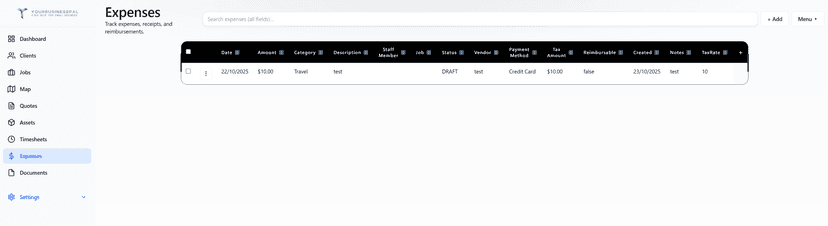
💰 Expense Tracking
FinanceTrack business expenses with ease. Categorize costs, link to jobs or staff, upload receipts, and monitor spending patterns. Perfect for tax time and budget management.
🏢 Multi-Organization
FlexibilityManage multiple businesses or departments with ease. One login, multiple organizations - perfect for contractors and consultants.
📊 Custom Dashboards
CustomizationCreate personalized views that match how you work. Save filters, columns, and sorting - keep them private or share across your team.
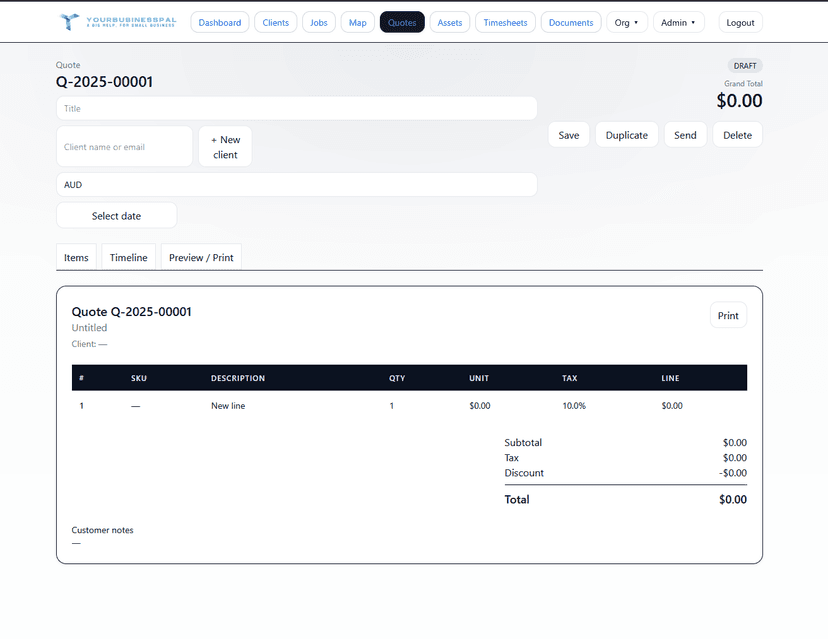
📋 Professional Quotes
SalesCreate stunning quotes with automatic tax calculations. Track when they're sent, viewed, and accepted. Convert quotes to jobs instantly.
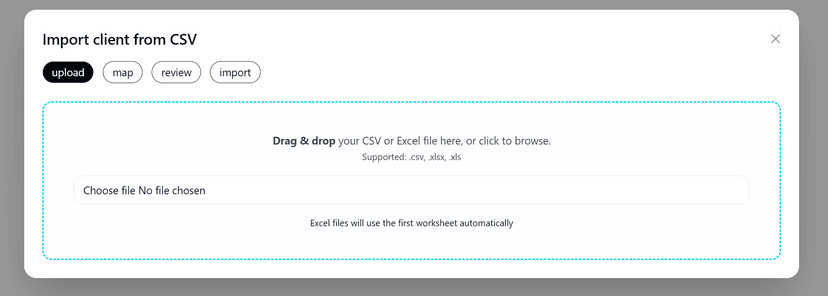
⚡ Lightning Fast Import
MigrationBring your existing Excel or CSV data over in minutes. Smart column mapping means you're up and running before your coffee gets cold.
👥 Smart Permissions
SecurityControl exactly what your team can see and do. From read-only access to full control - set it once and it applies everywhere.
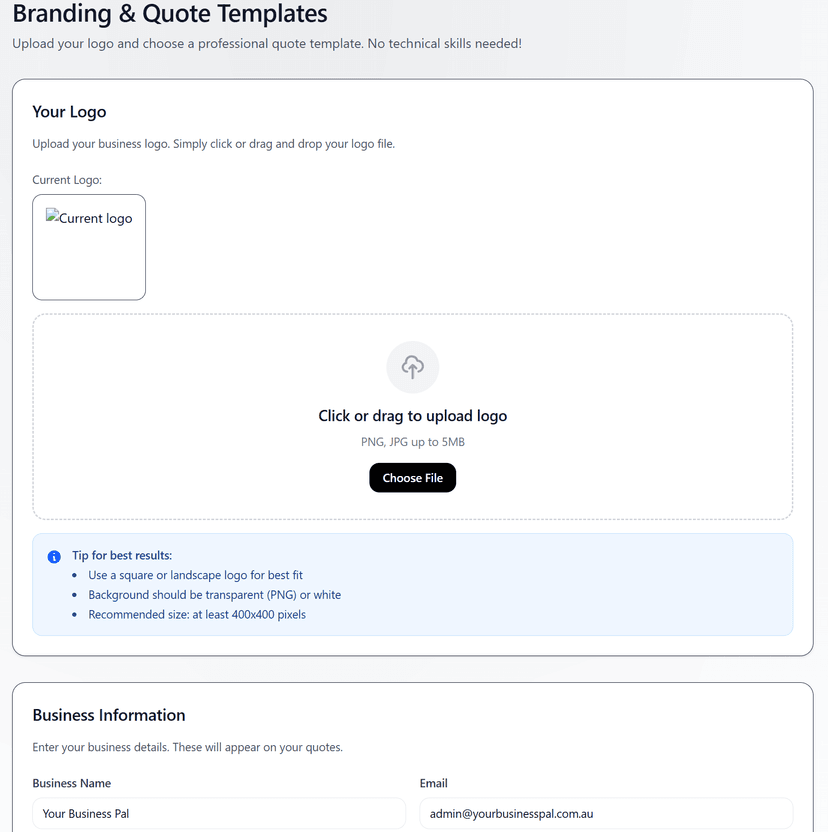
🎨 Your Brand, Everywhere
BrandingYour logo and business details automatically flow through quotes, emails, and reports. Look professional without the design work.
📱 Mobile Optimized
MobilityAccess everything from your phone or tablet. Responsive design means it works perfectly whether you're at the desk or in the field.
🔄 Complete Audit Trail
ComplianceEvery change is tracked and stored. See what changed, when, and by whom. Roll back mistakes with confidence - your data is always safe.
Simple, fair pricing
14-day free trial. No setup fees. Cancel anytime.
Solo
1 user
- 1 organisation
- Single User
- Clients, Jobs, Assets, Staff, Timesheets, Expenses
- Excel/CSV import & export
- Saved views (private)
- Versioned edits
- Docs explorer
- Dashboard calendar (read-only)
- Email support
Team
Up to 5 users
- 1 organisation
- 1 - 5 users
- Everything in Solo
- Org-default & shared views
- Role-based permissions
- Calendar + Map
- Priority email support
Business
Up to 15 users
- 1 organisation
- 5 - 15 users
- Everything in Team
- Advanced Docs permissions
- Rules Engine
- Quotes + Branding/Templates
- Onboarding assistance
Multi Org
Up to 3 orgs, 30 users each
- 3 organisations
- 30 users per org (90 total)
- Everything in Business
- Multi-org dashboard
- Cross-org reporting
- Dedicated account manager
- Priority support & onboarding
Frequently asked questions
Can one user belong to multiple organisations?
Yes. Users can be members of multiple orgs with different roles per org. Owners can also own multiple orgs.
How does the Calendar panel work?
It surfaces upcoming jobs, due dates and follow-ups on your dashboard. Clicking an event deep-links to the relevant record.
What does the Map show?
On desktop, you can visualise clients, jobs or assets to plan routes and group nearby visits.
What can Rules automate?
Send emails, set fields, and log events based on conditions (e.g., overdue jobs, quote changes, service due dates).
Is there audit history?
Yes. Records are versioned server-side. You can review differences and roll back when needed.
Can I control document access?
Yes. The document explorer supports role-based permissions per folder/file: READ, EDIT or FULL.
Do you support Excel import?
Absolutely. Import CSV/Excel, map columns, and save views for consistent working sets.
How do quotes work?
Create itemised quotes with tax, track status (Draft/Sent/Accepted/etc.) and view a timeline of quote events.
Ready to move beyond spreadsheets?
Start a free 14-day trial. Import your Excel and be productive in minutes.